Work to payment
Customers, quotes, invoices, recurring invoices and products together in one menu.

Invoice customers, manage your products, record payments and understand the numbers—without stitching five different tools together.
Follow Bivetica Demo Property Services, a fictional sole trader, from a customer invoice to an expense receipt, bank statement and profit & loss. See how the records fit together before trying it yourself.
Customers, quotes, invoices, recurring invoices and products together in one menu.
Add an expense, attach a photo or PDF, then match the payment from a bank statement without recording the cost twice.
Explore approved payroll costs and recorded CIS deductions in the demo. Paying employees and live HMRC filing remain unavailable.
Explore profit & loss, bank reconciliation, loans, interest, assets, depreciation and accountant records.
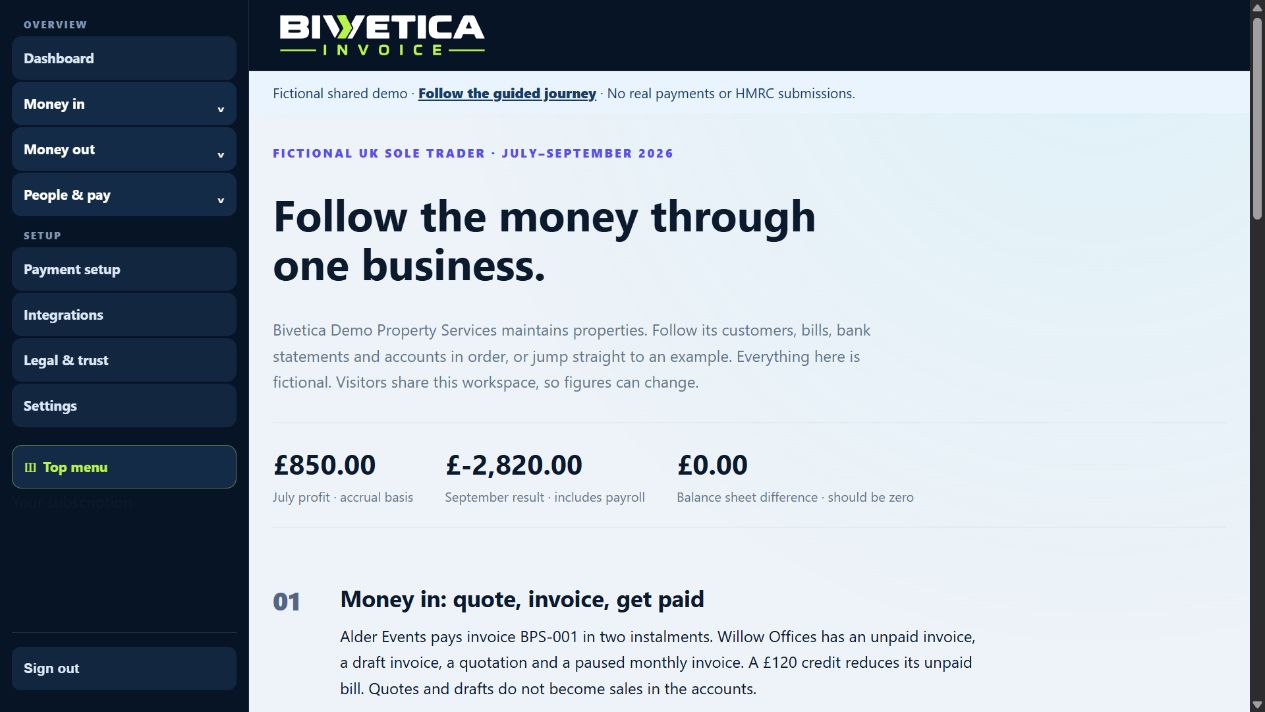
The connected UK accounting journey is available in the demonstration environment. Live HMRC VAT, PAYE and CIS submission, automated CIS verification and direct wage payments are not enabled. No real money is sent in the demo.
Bivetica Invoice brings the work around an invoice together—from the product you sell to the payment you record and the files your accountant needs.
Clear line items, your branding, QR access, payment instructions and a secure customer view on every device.
Record payments clearly, keep the balance current and export clean records for accounting.
Customers can view and download their invoice from one secure, branded link.
Bivetica Invoice covers the everyday work that small businesses otherwise spread across documents, spreadsheets, payment portals and email.
Keep business names, contacts, billing addresses, tax details and invoice history ready to reuse.
Save SKUs, categories, pricing, stock and web-ready product photographs for faster invoices and future online shops.
Set up regular billing for support plans, subscriptions, retainers and repeat services.
Filter sales by date, customer, product, category and payment method, then print or export the result.
VAT return preparation is under review. HMRC connection and live filing are not available for customer use yet.
Give your team access to the invoices, expenses and reports they need, with clear roles for each person.
Create the invoice, give the customer a clear way to pay, then keep every payment and report organised without adding another complicated accounting system.
Choose a customer and add saved products or services in a few straightforward steps.
Share a professional customer link that works properly on phones, tablets and computers.
Customers transfer to the bank details on the invoice. Record the payment after it reaches your account.
See payment status, product performance and accountant-ready exports in one place.
Customers see a branded invoice, your bank details and a payment reference. Bank transfers go directly to your account. Other online payment connections will become available after provider approval.
Bivetica Invoice handles the polished customer experience, then gives the business or its accountant clean records for the accounting software they already use.
Bivetica Invoice connects the experience without asking businesses to hand us card details or online-banking passwords.
One complete plan with no artificial limit on core invoices. Choose a shorter commitment while you get started, or save more when you know it works for you.
The payment period changes the saving, not the features. Provider charges and external accounting subscriptions remain separate.
| Capability | Included | What it gives the business |
|---|---|---|
| Core invoicing | Yes | Create as many core invoices as the business needs. |
| Expenses and profit & loss | Yes | Record approved costs and understand where the money goes. |
| VAT on invoices | Yes | Show VAT on invoices. VAT return preparation is under review; live HMRC filing is unavailable. |
| Customer invoice links | Yes | Share invoices with bank-transfer details and record payments received. |
| Users & permissions | Yes | Give workspace staff access using clear roles. |
Prices shown exclude any applicable VAT. This demonstration does not take subscription payments. Charges made by your own payment provider, and any separate accounting subscription you keep, are not included in these prices.
Short, honest answers about what the software does today. If yours is not here, ask us using the form below.
Yes. There is a working demo you can click through with no sign-up and no card. It is loaded with fictional data, nothing is charged, and no real email is sent. You can create an invoice, record a payment and look at the reports exactly as you would with your own business.
Choose a plan and complete the checkout, or send us an enquiry using the form on this page and we will set the account up with you. We would rather walk you through the first setup than leave you guessing at it.
No. It runs in your browser on a phone, tablet or computer. There is nothing to download and nothing to keep updated.
No. The screens are written in plain English and each one tells you what to do in numbered steps. Where the software needs a decision from you, it explains what the decision means before asking for it.
Yes. Choose Add purchase, then Take a photo on your phone, choose files or drop them into the page. The document scanner keeps the original, offers cropping and cleanup, and suggests details from locally read text. Check the image, supplier, date, total and VAT before saving a draft. Saving does not approve the expense or pay the supplier. You can also enter a purchase without a document.
Yes. Upload your logo once in Settings and set your business colours, and every invoice, recurring bill and payment page uses them. It is not a paid extra.
They get a secure link to a clean, branded page showing their invoice, which works properly on a phone. They can view it and download a PDF without creating an account or logging in.
Record the amount they actually paid and the invoice keeps a running balance. It stays outstanding for the remainder, so you always know what is still owed rather than having to treat it as paid or unpaid.
If it has not been paid yet you can edit the invoice and send it again. If it has been paid, raise a credit note against it. Both the original and the credit note stay on record, so your figures and your accountant's figures agree.
Yes. Set up a recurring invoice once — for a support plan, a retainer or a subscription — choose how often it should go out, and it is created for you on schedule.
Customers can transfer to the bank details shown on your invoice. Record the payment once it arrives in your account. Bivetica-issued invoices can offer GoCardless Direct Debit where shown. GoCardless connections for other businesses await partner approval. Pay by Bank, retry handling and in-app refunds have been developed for sandbox review and are not generally available yet. Customer invoice card payments and PayPal are not available. Paying for your Bivetica subscription is separate.
Yes. Create a quote, send it, and when the customer accepts it you turn it into an invoice without retyping anything. If the job is being billed in stages you can raise a deposit invoice first and invoice the balance when the work is done.
No. If your business is not registered, no VAT is added to your invoices and the VAT column stays out of the way. When you do register, you switch it on in Settings and invoices from that point carry VAT correctly. Earlier invoices are not changed.
You can prepare and review the nine VAT boxes in plain English, so you can see exactly what your return says and why. Live filing to HMRC is not switched on yet — it stays locked until HMRC approval and our launch checks are complete. Until then you review the figures here and submit them the way you do now.
Yes. You can export your records as Excel, Word, CSV, JSON, or in a Xero-ready format, and send the file across. There is nothing to retype at their end.
Yes. You invite them and choose what they can reach. A Bookkeeper can work with expenses, reports, VAT records and exports. A Reports viewer can read the dashboard and reports without changing anything. You can remove their access at any time.
No. The reports are written to be read by the person running the business, not by a specialist. You can see what you have invoiced, what is still owed, what you have spent and where your VAT position stands. If you take on an accountant later, everything is already recorded and exportable.
Yes. Invite them and give each person a role: Manager, Sales and invoicing, Bookkeeper or Reports viewer. Each role only opens the parts of the system that person needs.
The UK demo includes payroll costs, payslips and recorded CIS deductions. Direct employee payments and live HMRC VAT, PAYE/RTI and CIS filing are not available. Development and testing use sandbox services and fictional test data. Developer registration does not mean HMRC has recognised or approved the software. Continue using your existing filing arrangements.
The application and primary database are hosted in the United Kingdom. Expense photos and scans are stored privately in Backblaze B2 in its European region. Optional AI document reading, payment providers and chosen integrations may process data overseas; our privacy notice explains these separately. We do not sell your data or use it to train AI models. You can export your records.
Yes, and you do not need to ask us. Export your invoices, customers and records as Excel, CSV or JSON whenever you like, including before you cancel. It is your data.
Email us or use the contact form on this page and we will cancel it for you. There is no minimum term and no cancellation fee. Take your exports first if you want them — do that while your account is still open.
No. Payment connections are authorised on your provider's own site, and your merchant account stays yours. We never ask for card numbers or online-banking passwords, and you should never be asked for them by email either.
Solo is £14 a month, Business is £28 a month and Pro is £48 a month. There is no limit on core invoices on any of them. Payment-provider charges and any separate accounting subscription are not included, because those are paid to those companies rather than to us.
Whether you invoice occasionally, run a small business or already use Xero, ask us how Bivetica Invoice could fit around the way you work. There is no obligation to buy.
Explore invoices, expenses and reports with fictional demo records.